
Start on your Mac.
Open the menu bar app and allow Screen Recording so your phone can show the extra display. The timer at the top right shows how much demo time you have left.
Help with permissions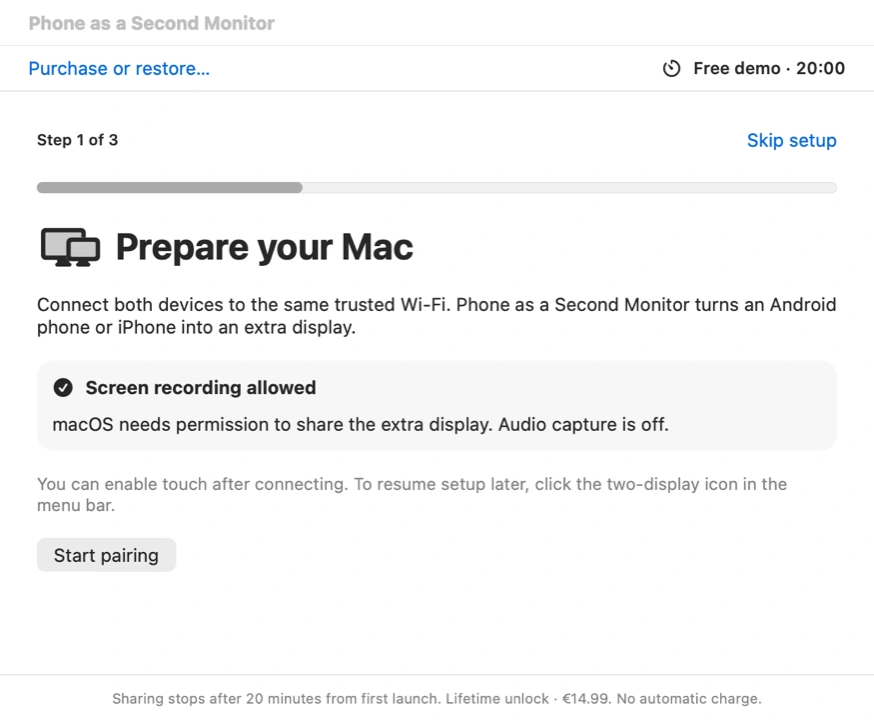
Give a Mac window its own screen. Move your notes, chat or reference photos onto a spare iPhone or Android over Wi-Fi.
20-minute free demo·No card needed·macOS 13+
App preview
Open the menu bar app and allow Screen Recording so your phone can show the extra display. The timer at the top right shows how much demo time you have left.
Help with permissionsJoin the same Wi-Fi network, then scan the Mac’s QR code with your phone. Approve the connection on your Mac. Everything on the phone runs in its browser.
Pairing help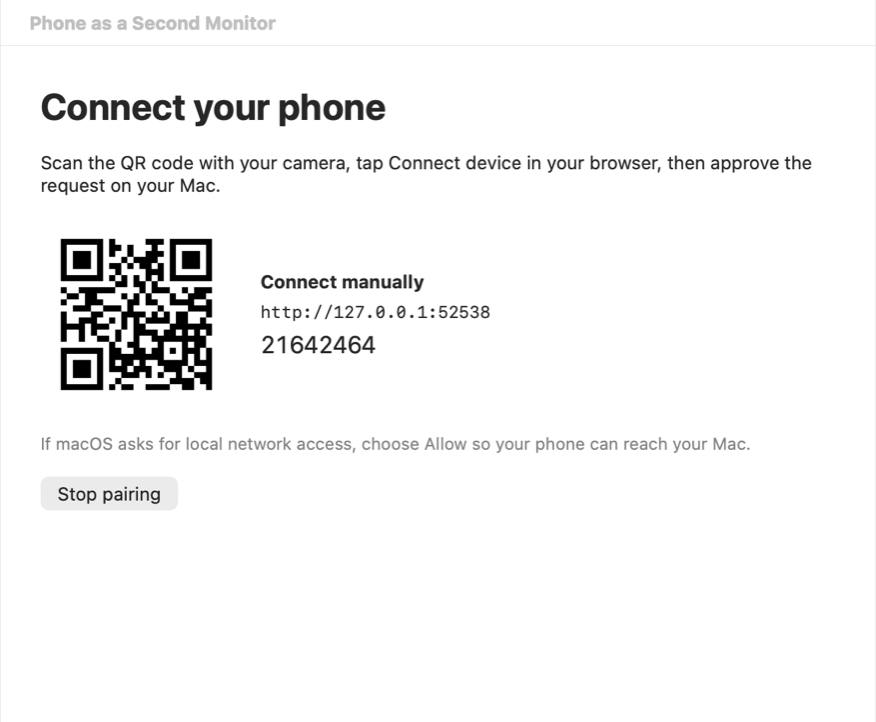
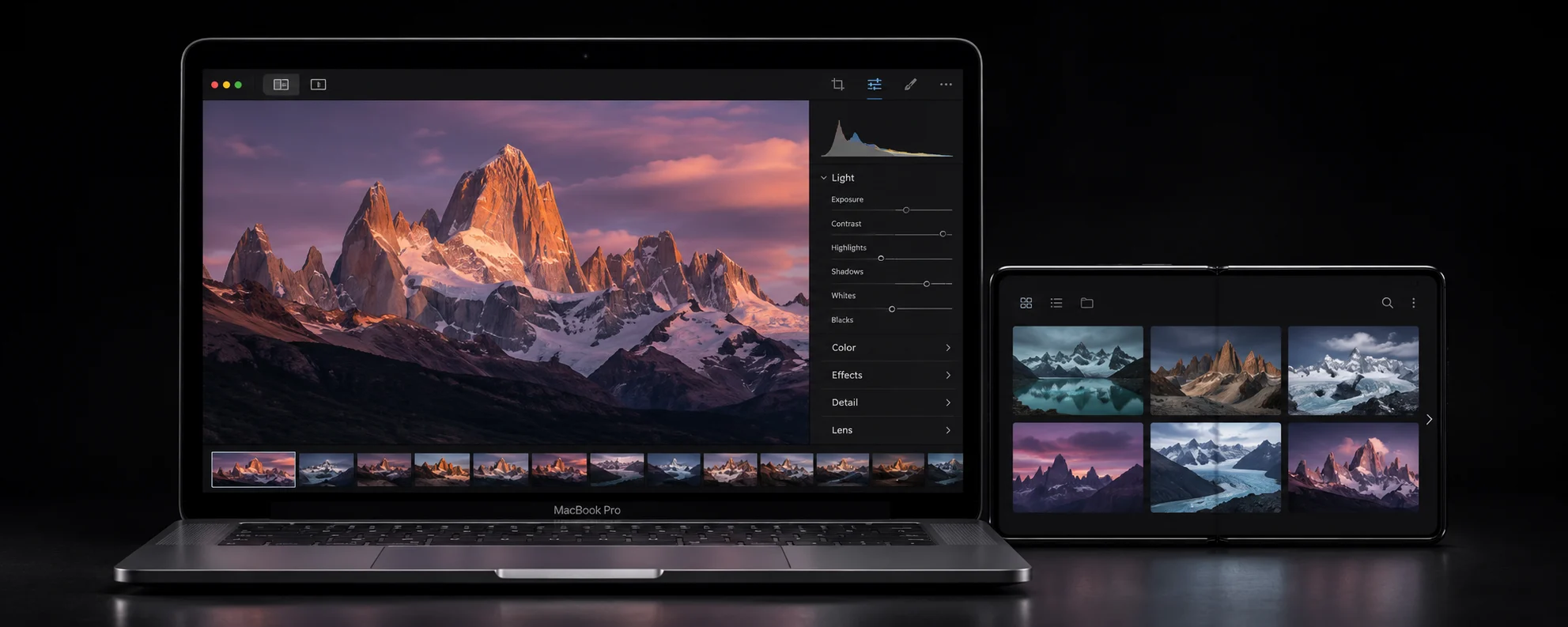
Drag a window past the edge of your Mac display to put it on your phone. Try moving the shot list between the screens in this preview.
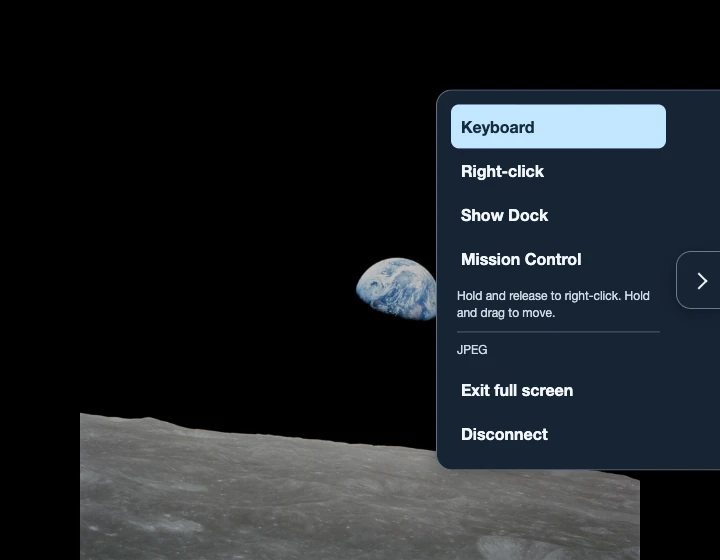
Enable touch control and allow Accessibility on the Mac. Use the chevron on your phone to bring up the keyboard, right-click or open the Dock.
Pricing
Have your phone nearby when you first open the Mac app. That’s when your 20 minutes begin.
All display and touch features
One-time purchase
The demo ends without a charge. Unlock lifetime access in the Mac app whenever you’re ready.
Download for MacmacOS 13 or later · Intel and Apple silicon
A Mac running macOS 13 or later and an iPhone or Android phone with a modern browser. Connect both to the same trusted Wi-Fi network. Only the Mac needs the app installed.
Yes. Your phone extends the Mac desktop. Leave a document on the phone and keep working in a different window on the Mac.
The countdown starts the first time you open the app and continues if you close it or disconnect your phone. When time runs out, sharing stops and the Mac shows the lifetime unlock screen.
Display frames and input travel directly between the Mac and phone over your local network. The website edition uses the internet for purchases and license checks. Read our privacy policy for details.
Yes. Allow Accessibility on the Mac and enable touch control in the app. Open the phone’s edge menu to show the keyboard or select Right-click for the next tap.